Public procurement

Payment by Administrative Mandate

You represent a public entity and wish to order from Elfcam via the platform Chorus Pro ? This page details the eligibility criteria and the 4 steps to finalise your order.
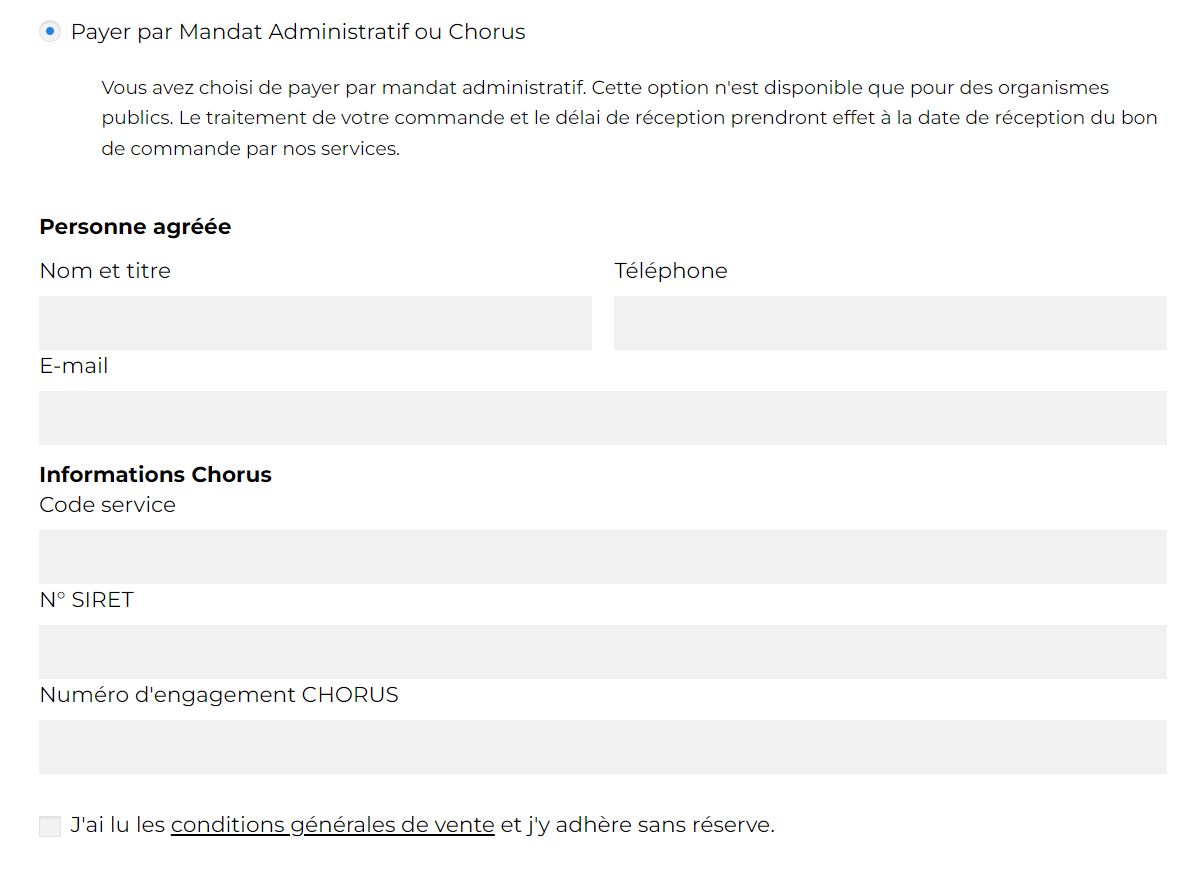
Elfcam administrative mandate payment screen — Chorus Pro interface

Who can pay by Administrative Mandate?

This payment method is reserved for public authorities and local governments listed on the Chorus Pro platform:

  • School, university, public education institution
  • Town hall, municipality, intermunicipal body, departmental or regional council
  • Hospital, nursing home, public health institution
  • Embassy, consulate, State service
  • Gendarmerie, national police, military
  • Any other public entity listed on Chorus Pro
✓ Delivery to Metropolitan France and Corsica only
✓ Payment in Euro only
✓ 30-day payment terms

How does the Administrative Mandate work?

1
Request a quote on elfcams.com
To obtain a quote, send your request (product references, quantities, delivery address and SIRET number) by email or via the quote request form. Elfcam prepares the quote and sends it to you.
2
Enter a commitment on chorus-pro.gouv.fr
Creating a commitment starts with entering general information: creation date, transmission date, commitment number, commitment type and commitment label. This step ensures the traceability of your order.

ELFCAM entity on Chorus Pro

Supplier SIRET number: 84411185600028

Important: In the field "Legal transmission date", enter a date less than or equal to today's date. This field records the sending date of the commitment materialised outside Chorus Pro, or the date on which your entity decides to manage the commitment.
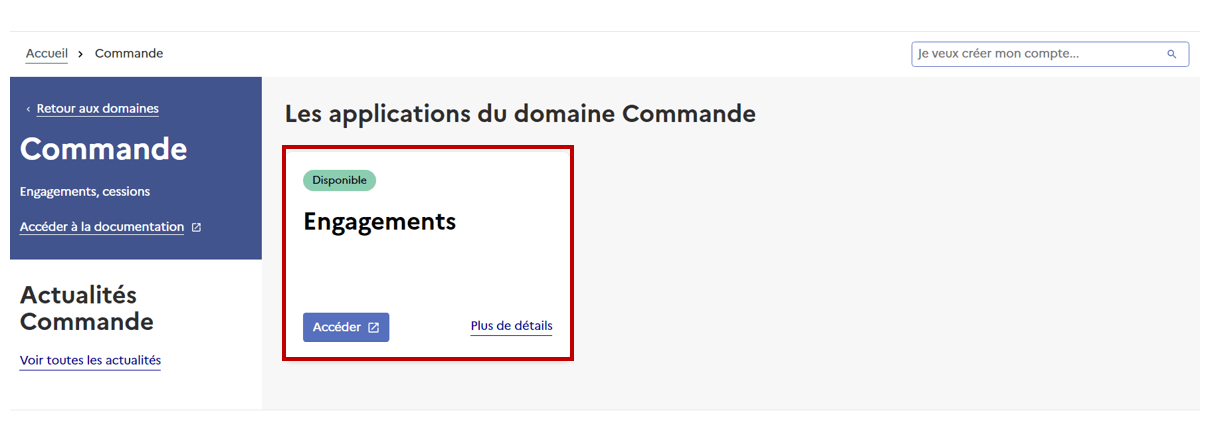
Chorus Pro — list of commitments

Commitments — access the list and create a new commitment.

Chorus Pro — order entry

Order — enter the general information of the order.
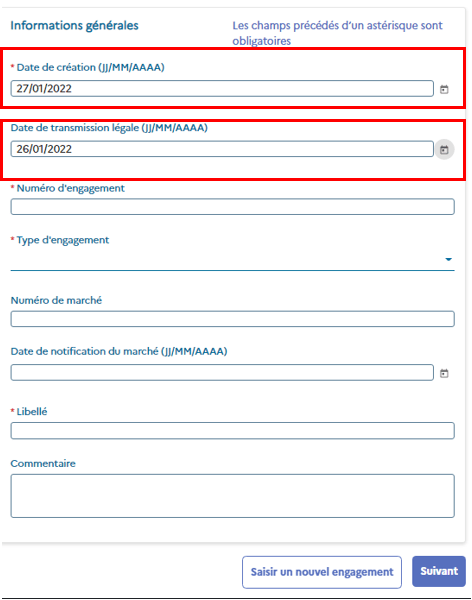
Chorus Pro — creation and transmission date fields

Creation date — fill in the legal transmission date (≤ today's date).
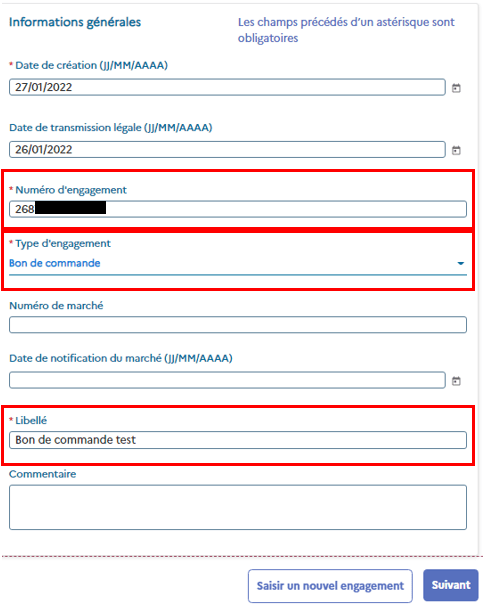
Chorus Pro — commitment number

Commitment number — this number will be requested in step 3.
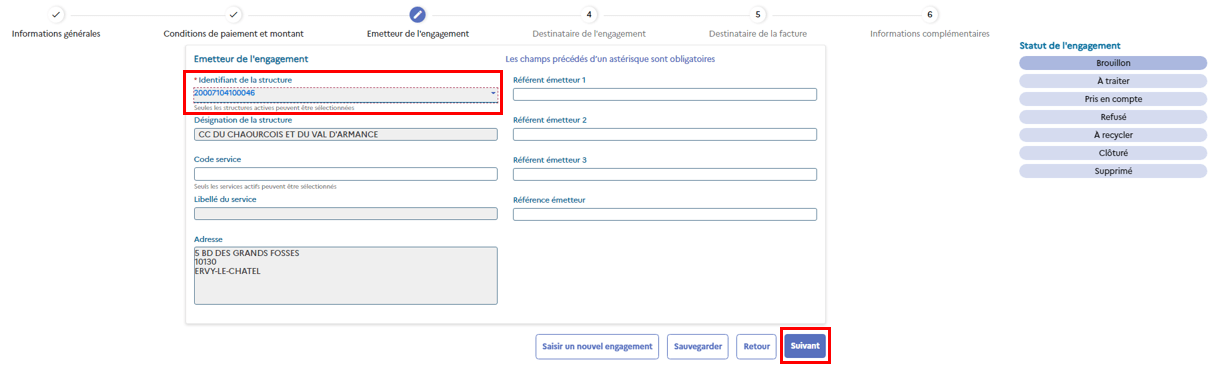
Chorus Pro — ELFCAM supplier identifier

Supplier identifier — enter Elfcam SIRET: 84411185600028.
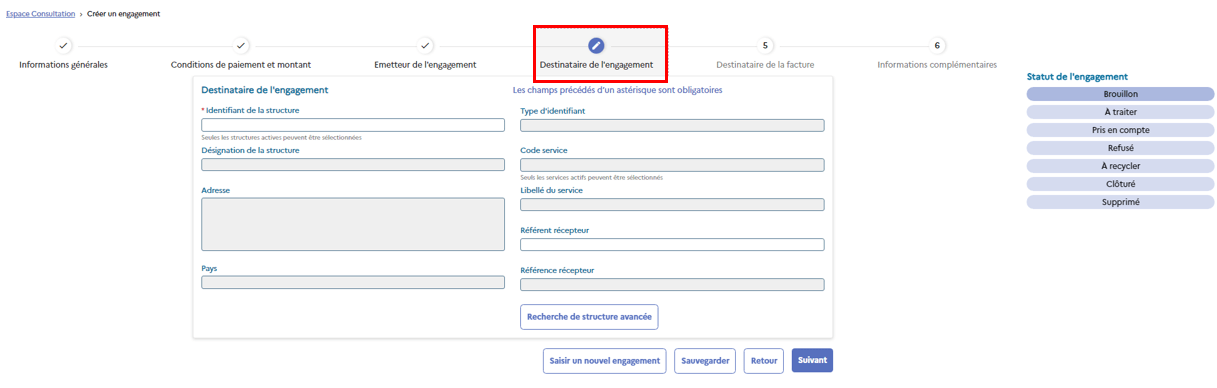
Chorus Pro — invoice recipient

Recipient — check the recipient service details.

3
Send us your SIRET and purchase order
Send us by email your purchase order (identical to the one provided when requesting the quote), together with your commitment number entered on the Chorus Pro platform and your SIRET number.
4
Elfcam validates the order and ships it
Upon receipt of your purchase order, Elfcam validates and ships your parcel, then registers your invoice on the Chorus Pro platform. Unless otherwise stated in the contract, payment is made at 30 days, either by cheque or by bank transfer to our account.

A question about your order?

Our team supports you for any quote request or question about the Chorus Pro procedure.

EN / EUR Germany DE / En
Select the country/region, the language, and the currency in which you want to shop.
Deliver to
Germany
Select your shipping address to estimate shipping fees and delivery time.
Mon Panier
⚑
Chargement...